
Raycast: Neues iOS-App-Update bringt editierbare AI-Commands & Presets
 von Felix Frank | Kommentare deaktiviert
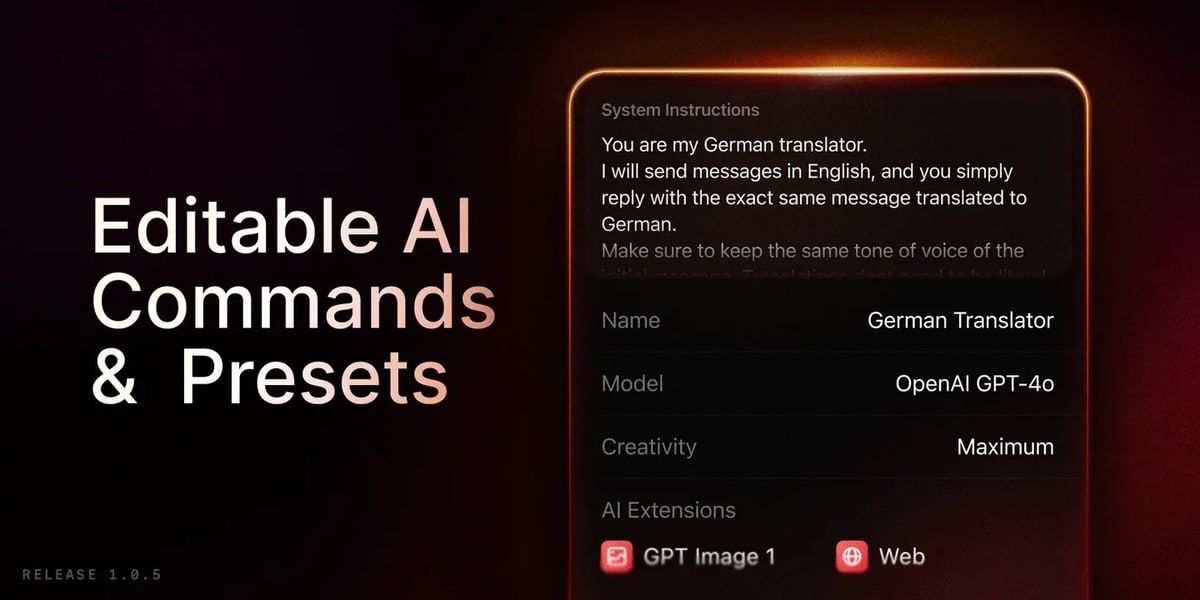
Das Produktivitäts-Werkzeug Raycast ist bei uns im Team Tool der Wahl, wenn es um effizientes Arbeiten am Mac geht. Inzwischen ist auch eine iOS-App, mit dem Fokus auf Raycast AI, verfügbar. Neben einer Vielzahl an kleineren Verbesserungen und Bugfixes bringt man auch eine weitere Funktion mit: AI Commands und Presets für die AI Chats lassen sich jetzt auch direkt am iPhone erstellen und bearbeiten.
Bislang war es für AI Commands und die AI Presets nur möglich, diese an einem Mac anzulegen und per Synchronisation auf den Mobilgeräten mit iOS sowie iPadsOS zu nutzen. Jetzt kann man sämtliche Anpassungen direkt übers iPhone, bzw. auch iPad tätigen.
Zu den weiteren Neuerungen zählt die Möglichkeit, diverse Dinge (Notizen oder auch Quicklinks) mit der Spotlight-Suche direkt über den iOS-Homescreen zu suchen. Zudem hat man einen Befehl hinzugefügt, um die letzte Notiz zu öffnen. Notizen lassen sich jetzt übrigens, wie auch Snippets und Quicklinks, anpinnen. Außerdem kann man für den AI Chat sowie Notizen Deeplinks erstellen.
Das vollständige Changelog von App-Version 1.0.5 liest sich wie folgt:
New
– Al: Create and edit Al Commands and Al Presets
– Al: View Presets and commands under the Al Tab
– Misc: Content is now available in Spotlight search. You can now search for your frequently used notes, quicklinks, among other things,
from your home screen on iOS
– Misc: Added command to Open Last Note
Improvements
– Misc: You can now pin notes, snippets and quicklinks
– Misc: You can now create and use Al chats and notes deeplinks
– Notes: Added keyboard shortcut for creating a link [AL]
– Notes: You can now export selected note from notes list
– Search: Auto hide the keyboard when scrolling content
– Search: Added the ability to clear your recent searches
– Al: You can now use your custom presets from the Ask Al Intent
– Al: Improved chat content line height and spacing
– Al: Added Open Al Chat Shortcut action
– Al: You can choose with image generation tool to use in chat settings
Fixes
– Al: Fixed chat text colors not updating after appearance change
– Al: Fixed tapping on model sometimes not working in model picker of Al chat
– Al: Fixed return key not adding a new line for system instructions on iPad
– Al: Fixed showing the preset / model picker buttons when creating a new chat from inside the chat view
– Al: Fixed so correct model is now saved when using the Ask Al Intent
– Al: Fixed Al chats are sometimes misleadingly named
– Al: Fixed so switching model is now properly saved when in a chat
– Al: Fixed Al throwing error when continue a chat that contains tool calling
– Al Commands: Commands not supported on iOS are now separated to their own section in Share extension
– Al Commands: From now on alert will be shown when trying to run commands not supported on iOS
– Al Presets: Fixed the default icon for a custom preset to be the model provider instead of Raycast logo
– Notes: Fixed divider color in light mode
– Notes: Fixed Weekly and Daily note command not using a header
– Share Action Extensions: Fixed actions naming to better distinguish Raycast actions from the other apps‘ actions
– Arguments: Correctly focus content input when there are no additional arguments
– Quicklinks: Fixed opening URL with scheme only
– Misc: Fixed the delete confirmation on lists not appearing on iPad
– Widgets: Fixed icons for control widgets sometimes disappearing


Transparenz: In diesem Artikel sind Partnerlinks enthalten. Durch einen Klick darauf gelangt ihr direkt zum Anbieter. Solltet ihr euch dort für einen Kauf entscheiden, erhalten wir eine kleine Provision. Für euch ändert sich am Preis nichts. Partnerlinks haben keinerlei Einfluss auf unsere Berichterstattung.

 Wird geladen ...
Für eine offene Diskussion behalten wir uns vor, jeden Kommentar zu löschen, der nicht direkt auf das Thema abzielt oder nur den Zweck hat, Leser oder Autoren herabzuwürdigen. Wir möchten, dass respektvoll miteinander kommuniziert wird, so als ob die Diskussion mit real anwesenden Personen geführt wird. Dies machen wir für den Großteil unserer Leser, der sachlich und konstruktiv über ein Thema sprechen möchte - gerne auch mit Humor. In jedes Thema Politik einbringen ist nicht erwünscht. Es besteht kein Recht auf die Veröffentlichung eines Kommentars.
Du willst nichts verpassen?
Du hast die Möglichkeit, den Kommentar-Feed dieses Beitrags zu abonnieren. Wer natürlich alles lesen möchte, der sollte den Hauptfeed abonnieren.